
How to & Visual Guides
Here are some useful images, tips and a video to get you more comfortable with how the pool works and what you will see when you are officially logged in to the site.
Home page
Home page will feature some main pool results, count down to picks deadline, top 3 in the money, Pick-6 prize total, and more!

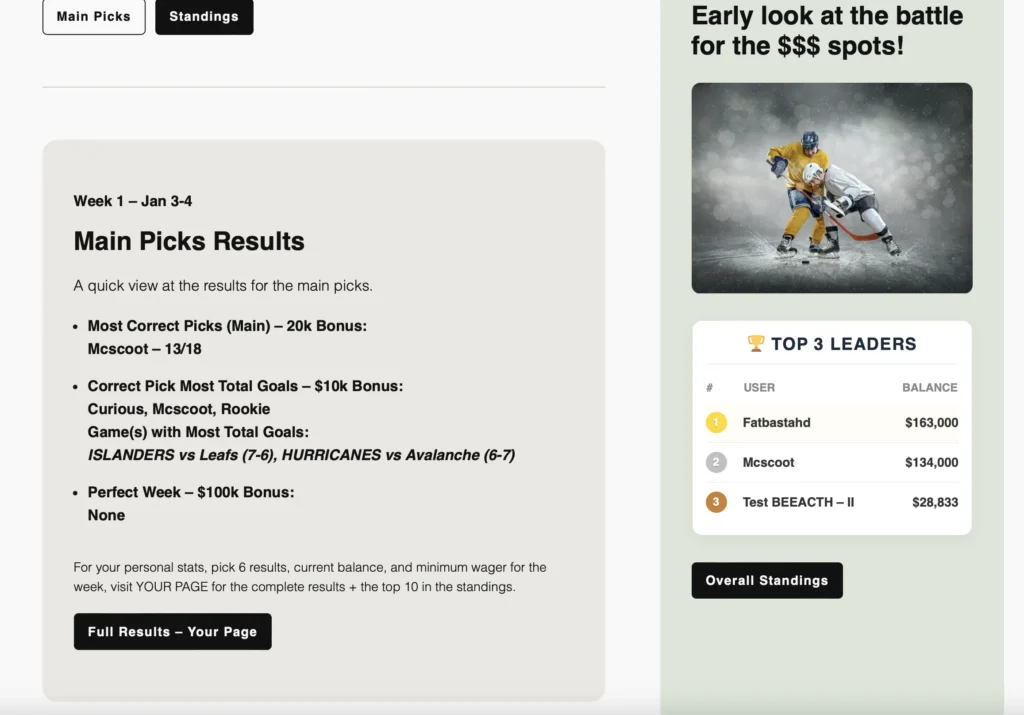
Tip: When you’re done your session, always a good idea to LOG OUT. The site will also log you out if you close your browser.

Main Picks
This is the main part of the pool where you rise to the top, or sink to the bottom of the fish tank.
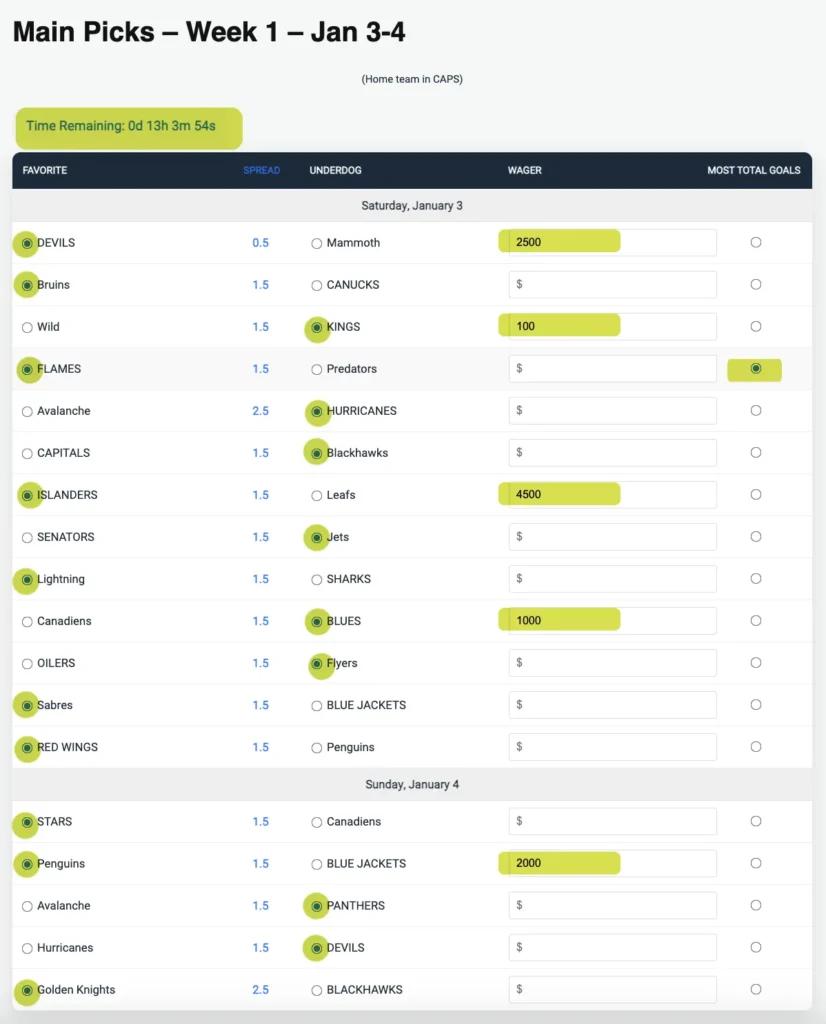
Filling out the main pick form is very easy. See below an example of how your completed form will look and what to watch for when filling it out and submitting.
1. Select a favourite or underdog team for every game listed on the page. (fig 1)
2. Select ONE game in the Most Total Goals (MTG on mobile) column that you feel will have the highest total goals combined. (fig 1)
3. Make wagers on only 5 games. You must always wager a minimum 1/3 of your total balance, identified on YOUR PAGE. You must wager at least $100 on any game. (fig 1)
Example: your five wagers can be 10,000, 100, 100, 100, 100… or spread them evenly over 5 games – $2000 each game. The strategy is yours to bet!
4. You will also notice at the top of the Main Picks (and Your Page) a count down timer. (fig 1). You must make your picks before the first game on Saturday. Once the timer expires, you cannot make your picks for the week and will automatically lose 1/3 of your balance. Don’t be late. You will also get an email when the picks are fully published for you to review and submit.
TIP: when selecting your picks and entering in wagers, do NOT leave the page before submitting as your picks will not be saved. The only time your picks are saved on screen is after you submit them.
Tip: As you make your picks, do not leave the page before submitting or you will wipe out your picks on the page. Once you submit your picks, you can go back and change them as they will be saved in your profile.
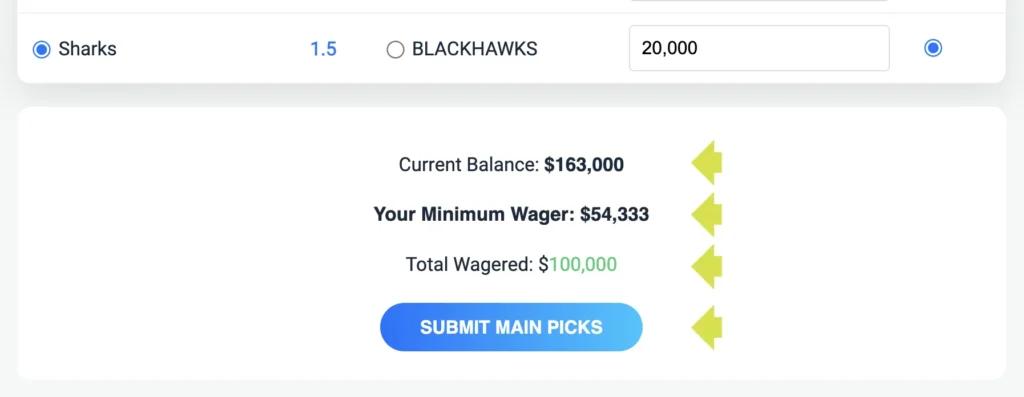
5. Scroll down to the bottom of the Main Picks page. You will see your current balance, minimum wager and total wagered. If the total wagered is green, you’re good to go. Click SUBMIT MAIN PICKS button! (fig 2).
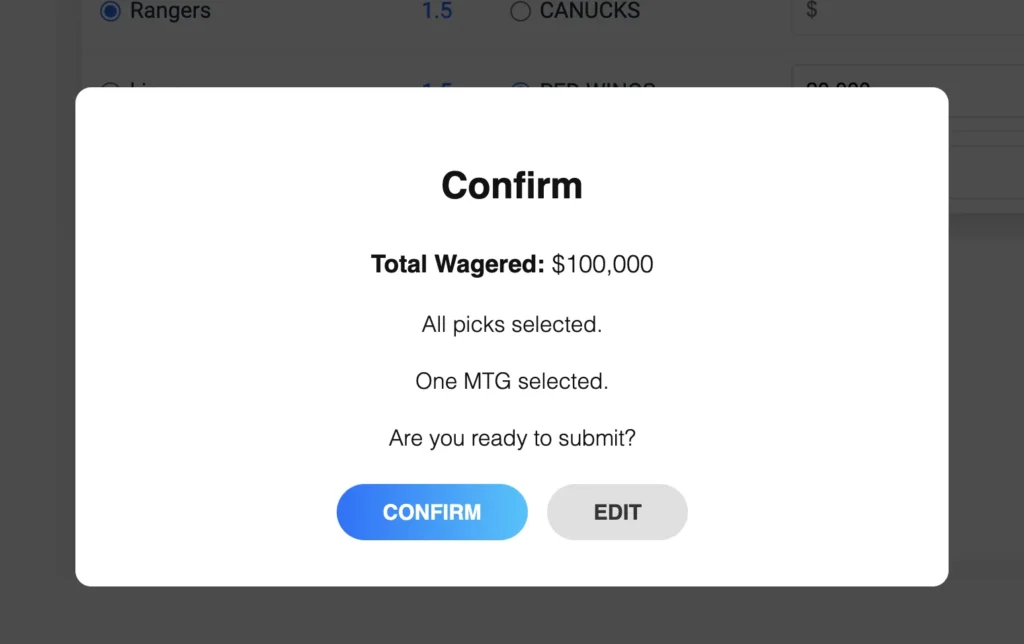
You will also get a confirmation popup before your picks are submitted.
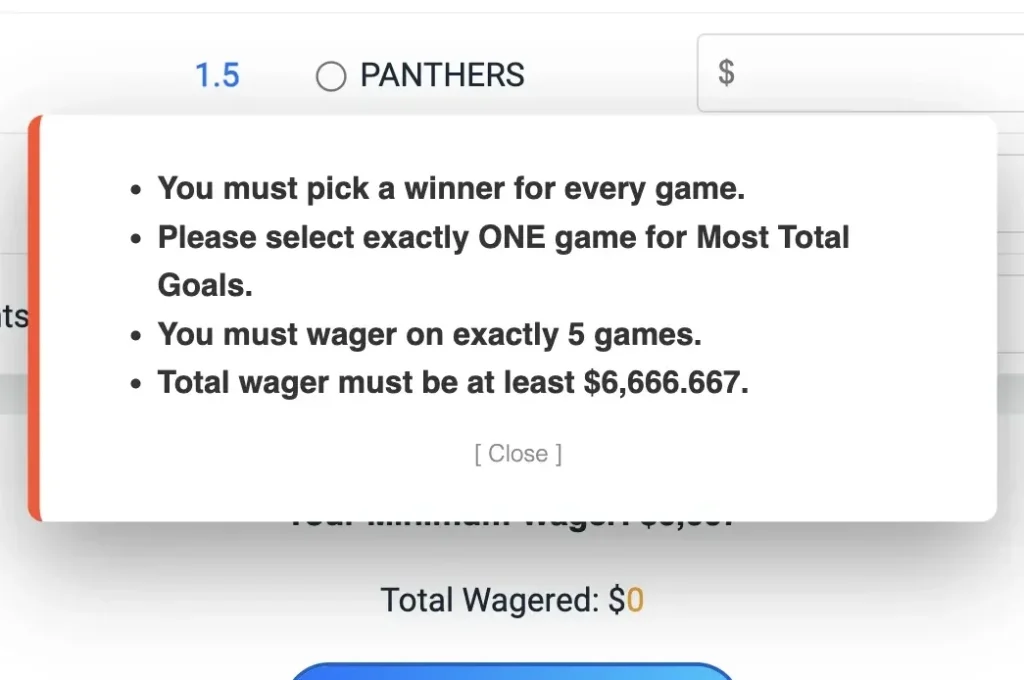
If there are any errors upon your submission, you will be prompted with the exact errors to correct and then resubmit your picks. (fig 3).
Pick 6 – optional pay and play
Similar to the Main Picks page, you have a Pick 6 page. This page is completely optional to play and involves a separate weekly prize pool if you win. Prize varies on amount of participants each week. If no one picks 6/6 in a given week, pot rolls over! Cost is $5 per week.
See rules for more info.
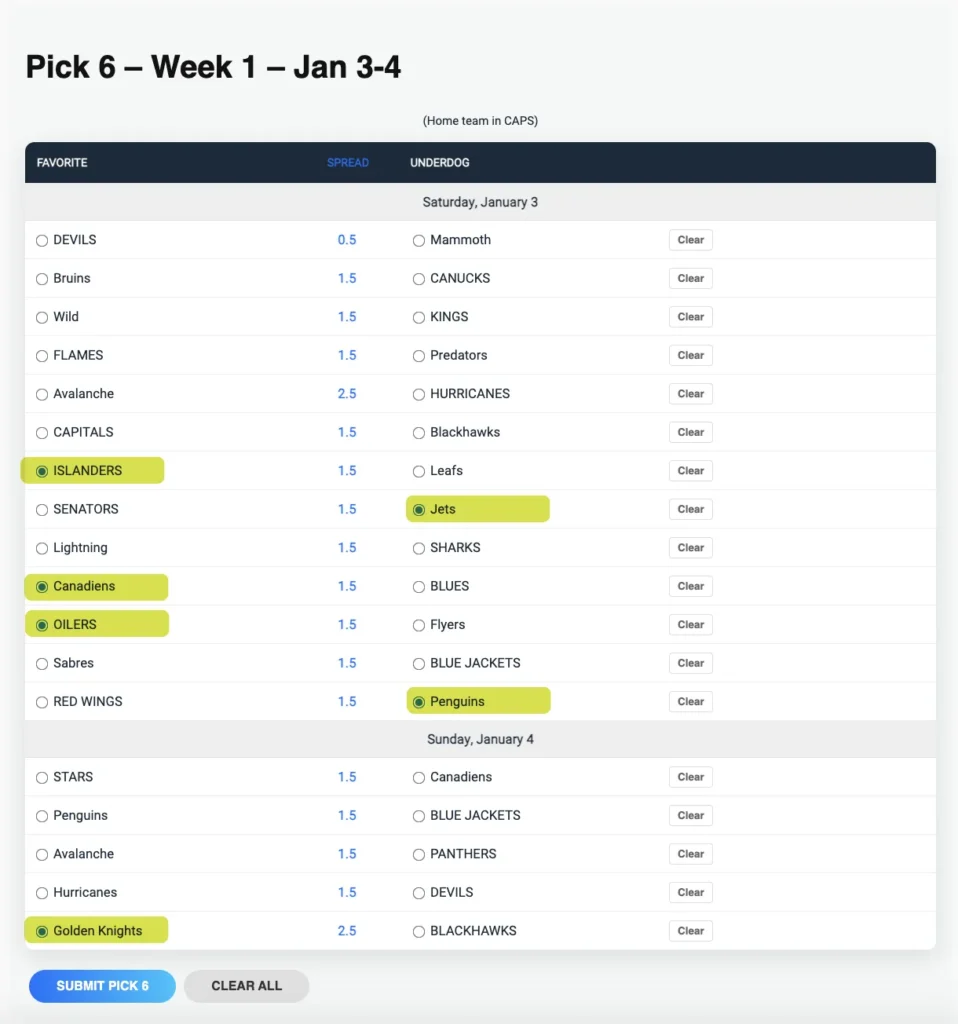
1. Go to the Pick 6 page. You have to pick a favourite or underdog on exactly 6 games from the list of games shown. There’s a “Clear” button beside each game that allows you to deselect a game, as well as a “Clear All” button at the bottom of the Pick form to completely clear all picks. (fig 4)
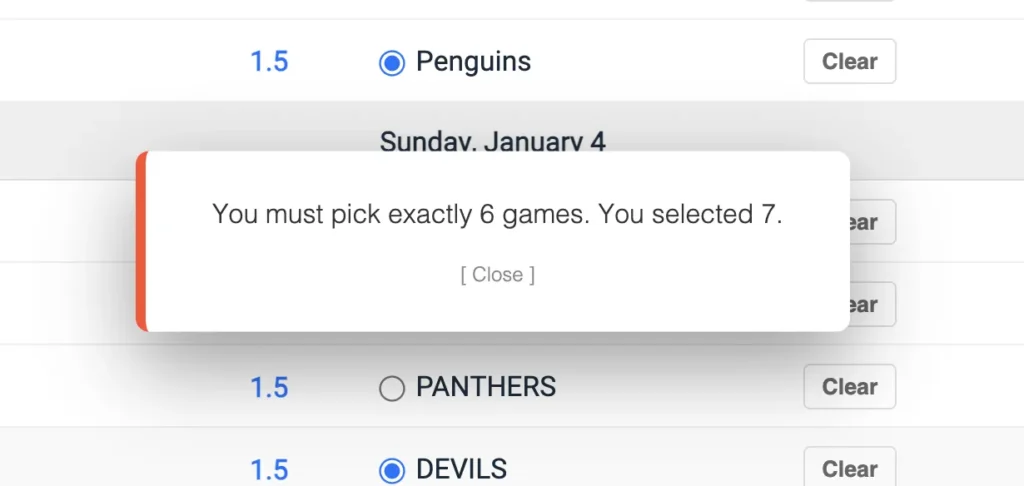
2. Scroll to the Submit Picks button and click it. If you have not picked 6 games, you will be prompted with an error message. (fig 5)
Want to Change your picks?
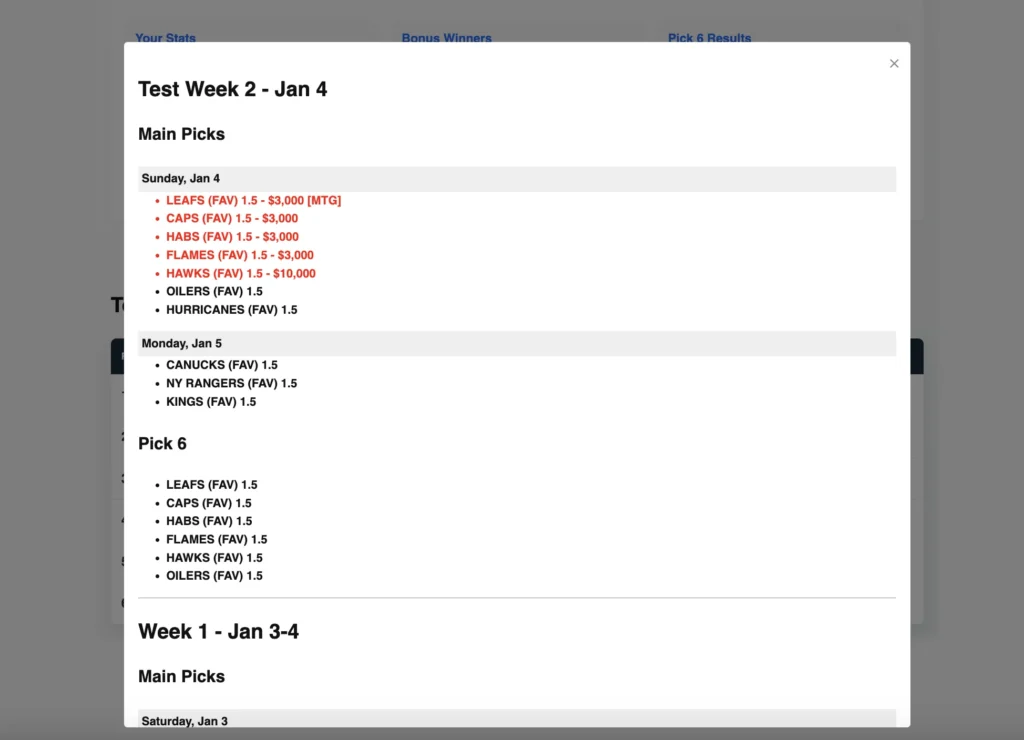
Pretty simple. Before the timer expires for the first game on Saturday, log back in to your profile and go to your Main picks and/or Pick 6 page – your picks will still be visible based on your last submission! Make your changes, resubmit! Picks are revised! And you can always confirm by checking your “Picks history” on “Your Page”.
Your Page
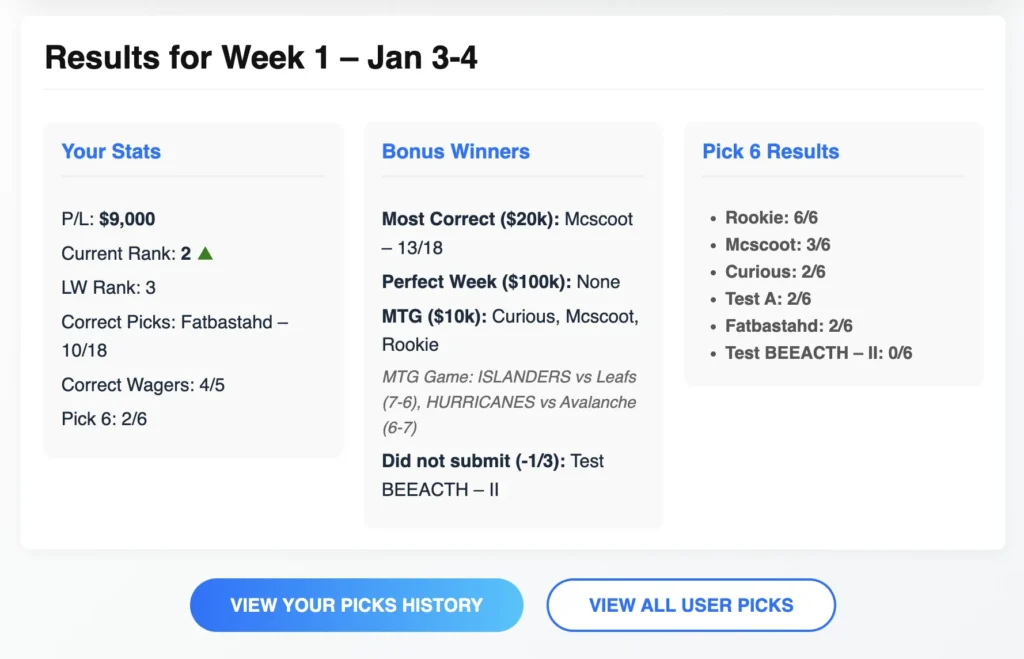
This page is your personal page (as you will see by the personalization with your Pool name) and it’s filled with various results from your current balance, minimum wager for the week, count down clock, personal stats to overall bonus $$ results, Pick 6 results, your weekly picks history and top 10 standings. See below figures.
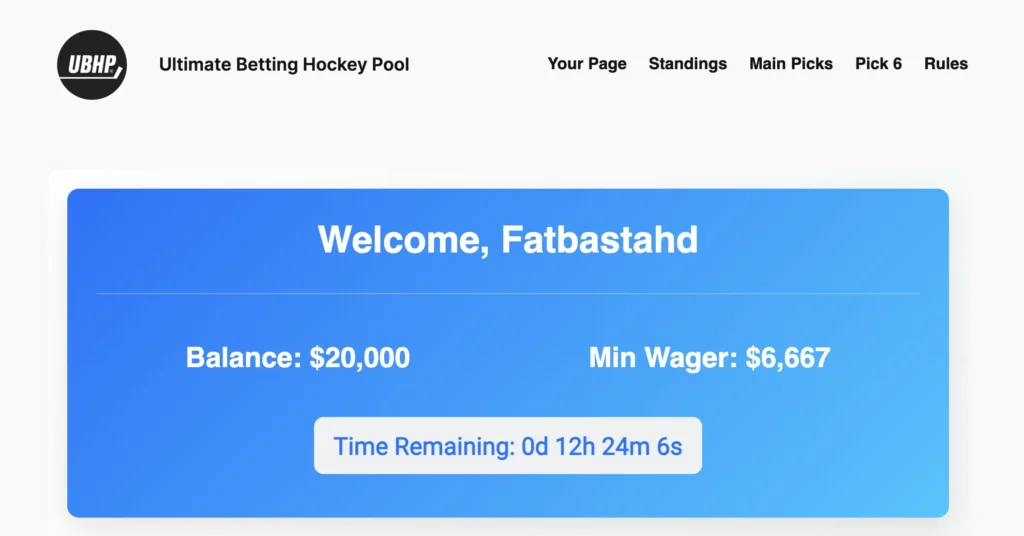
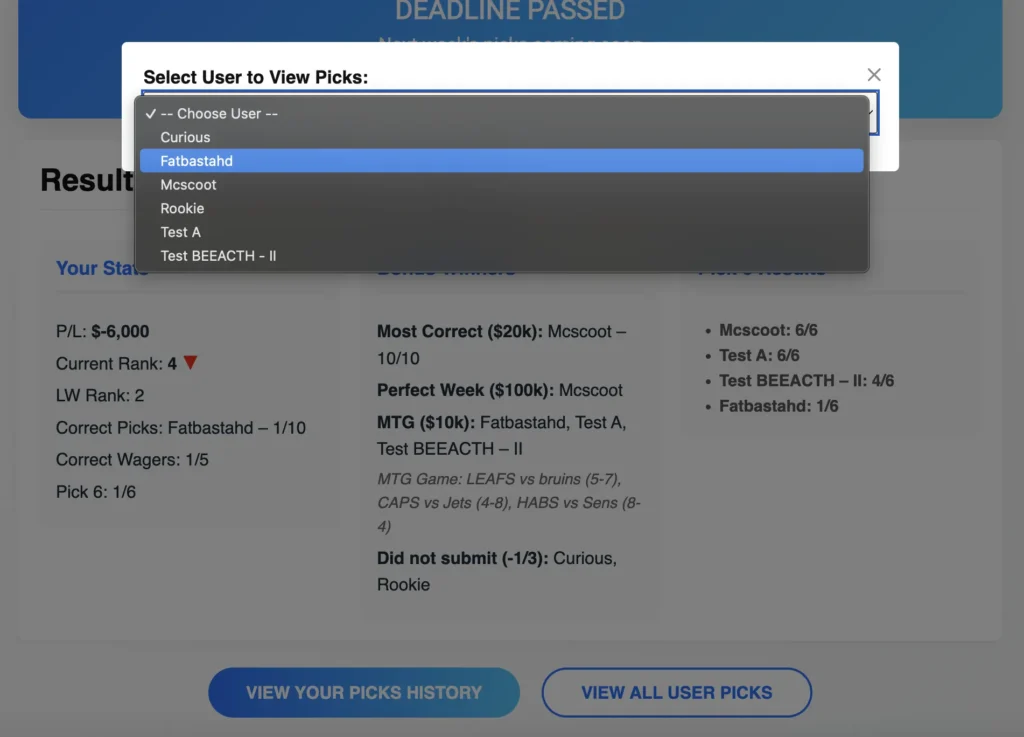
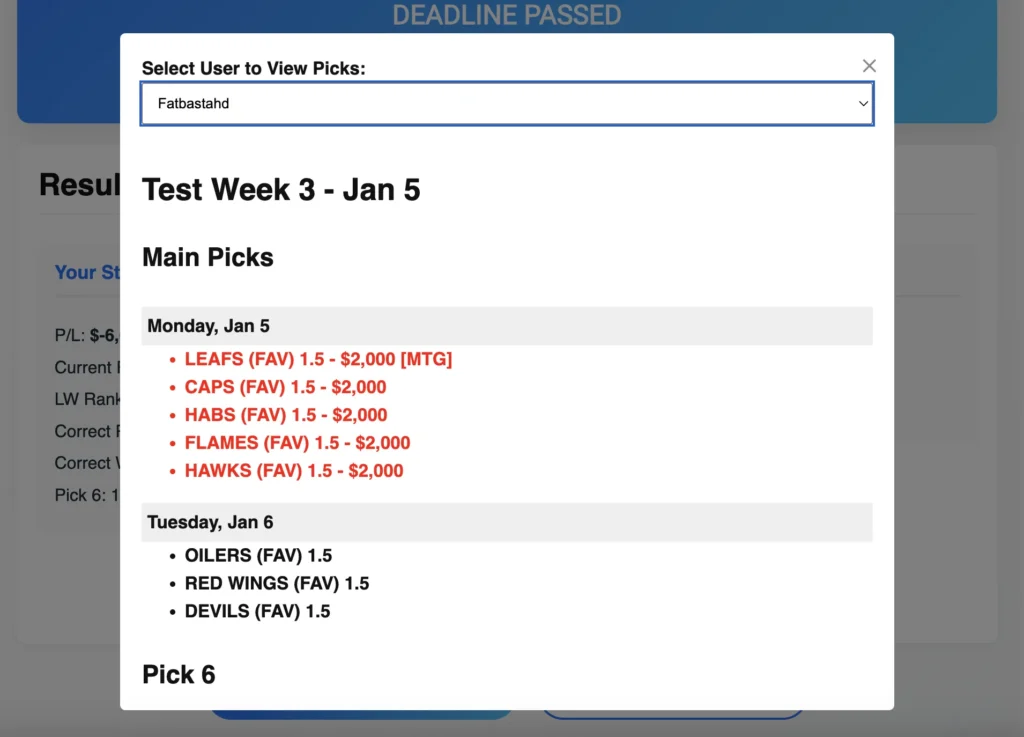
After each week is posted with final scores and balances calculated, you will now see the Week’s Results on Your Page. Your Personal Stats, Week’s bonus winners and the Pick 6 results. You will have the ability to View your pick History. Also, once the countdown timer has expired for weekly submissions while the games are being played, you will be able to see your fellow poolies picks by clicking the “View All User Picks” button. This button is then disabled when the results are tabulated after the weekend.
Standings
Overall standings for the pool. If shows the rank in order, your current balance, your weekly +/-, and your rank from the last week with a green or red arrow indicating if you’ve dropped or climbed the leader board.
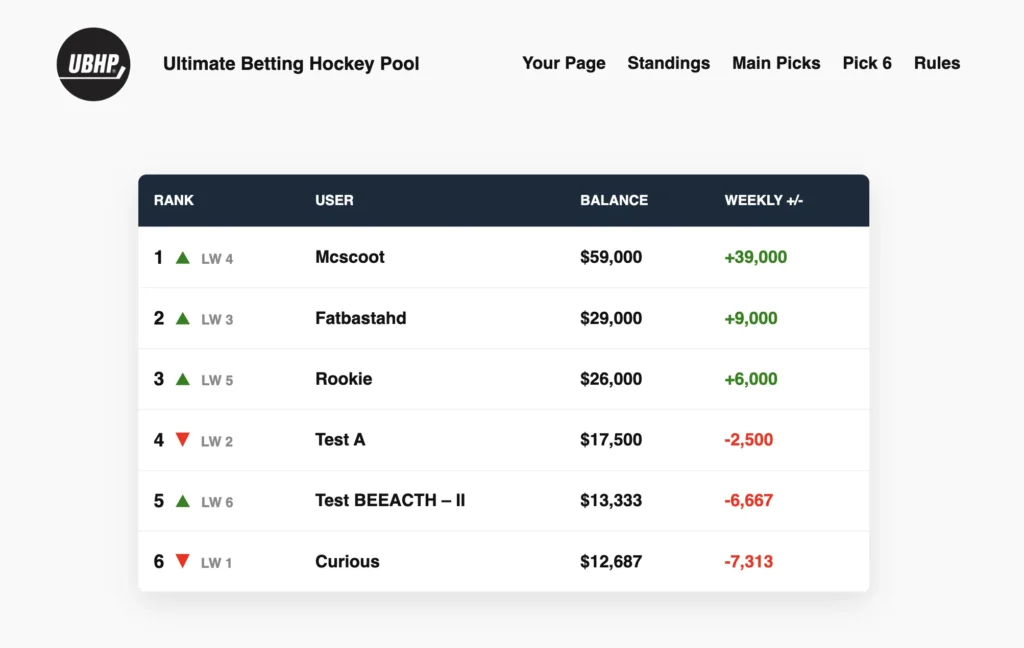
Note: if you see a I, II, III etc… after a User’s name, this represents the number of buy backs that poolie has paid to re-enter the pool after going bust. Example show in fig above.
